Choose where Fundiin appears in your store.
Add hosted Fundiin messaging to product, cart, and checkout pages. Start with the surface closest to your customer's decision.
Every element uses the same pattern.
Add a container
Choose where the Fundiin message should appear.
Provide page data
Pass the current product price or order total.
Load the hosted script
Use the correct host and your Fundiin merchantId.
Start where the message matters most.
Each guide contains the required container, page data, hosted script, and a complete sandbox example.
 01
01Product listing
Show installment affordability directly on collection and search result cards.
 02
02Product detail
Help shoppers understand their payment options beside the product price.
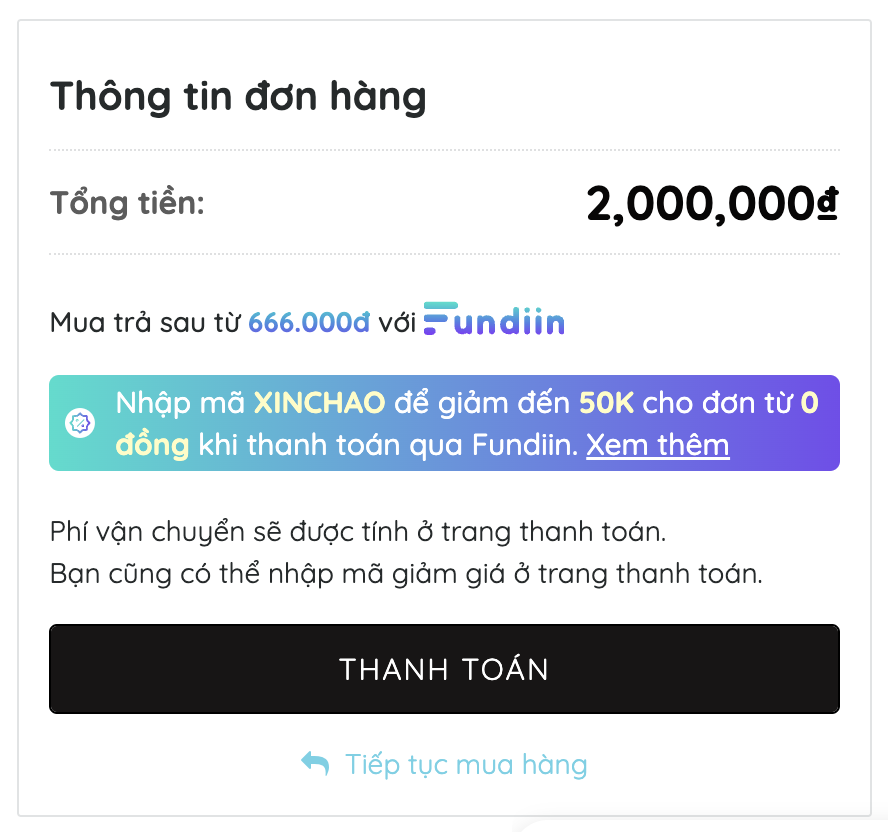 03
03Shopping cart
Keep Fundiin visible while customers review products and order totals.
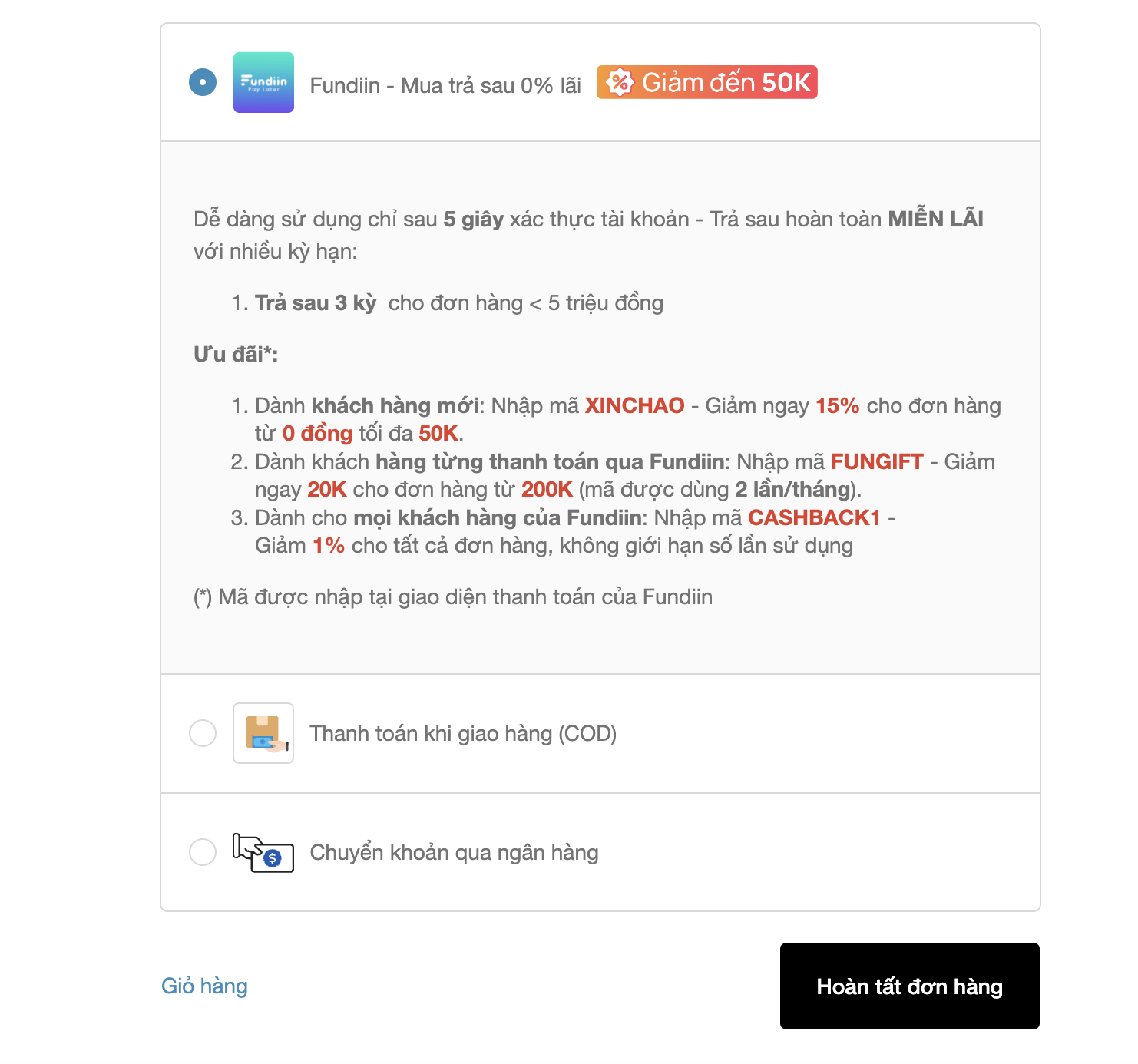 04
04Checkout
Present Fundiin clearly alongside the available payment methods.
Keep three rules consistent across every page.
Load each script once, use the current page amount, and keep the merchantId issued to your business.
Use sandbox until UAT is complete.
Switch only the host when moving to production. Keep the same merchantId issued to your business.
https://gateway-sandbox.fundiin.vnhttps://gateway.fundiin.vn